
To access your Library Record you should do the following:
Step 1: Go to http://library.aston.ac.uk and click on the My Library Record link on the right hand side.
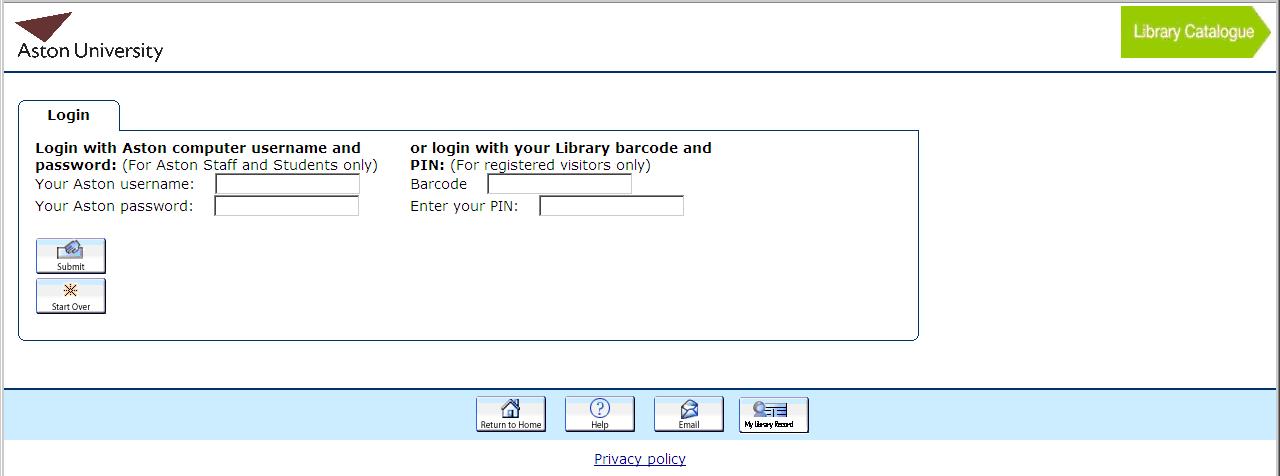
Step 2: You will see the following screen. For Aston staff and students enter your computer username and password in the boxes and click submit. Only visitors should continue to use their barcode number and PIN
To reserve items you should do the following:
Step 1: Search for a book and bring up the main details. If all copies are on loan click on the reserve button at the top of the screen.
Step 2: You will see the following screen. For Aston staff and students enter your computer username and password in the boxes and click submit. Only visitors should continue to use their barcode number and PIN

Step 3: You will get a confirmation screen if the reservation is successful and an email will be sent to your Aston email account when the book is ready for you to collect.


 Posts
Posts

